Recipes & sub-recipes
36 illustrated dishes; room for 84 recipe cards
EXCEL KIT FOR CATERING & FOOD SERVICE
One English Excel workbook for recipe costs, event pricing and clear client quotations. Choose your cost and quote currencies inside Excel.
Get the Kit — $19 →$19 one-time · normally $29 · until November 15, 2026
▶Watch the walkthrough33-second overview · actual new workbook screensFrom supplier prices to recipe costs and a professional client quote.

Ingredients & portions
Food, staff & overhead

Clear and professional
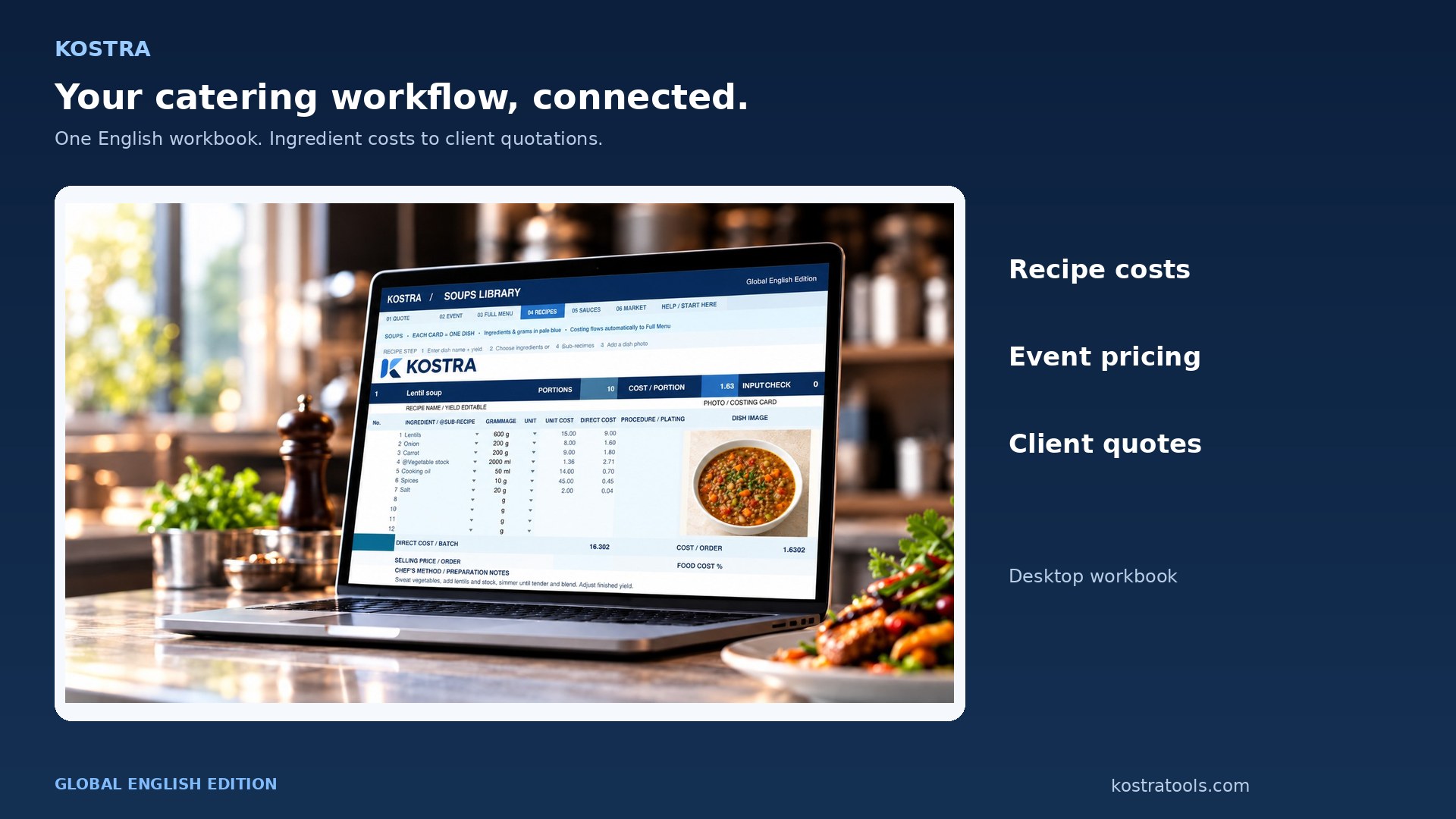
A connected catering workflow, with all supporting files in English.
36 illustrated dishes; room for 84 recipe cards
Guests, portions, buffers, extras and target margin
A separate client view without internal costs
Currency setup and the complete costing flow
THE NEW WORKBOOK
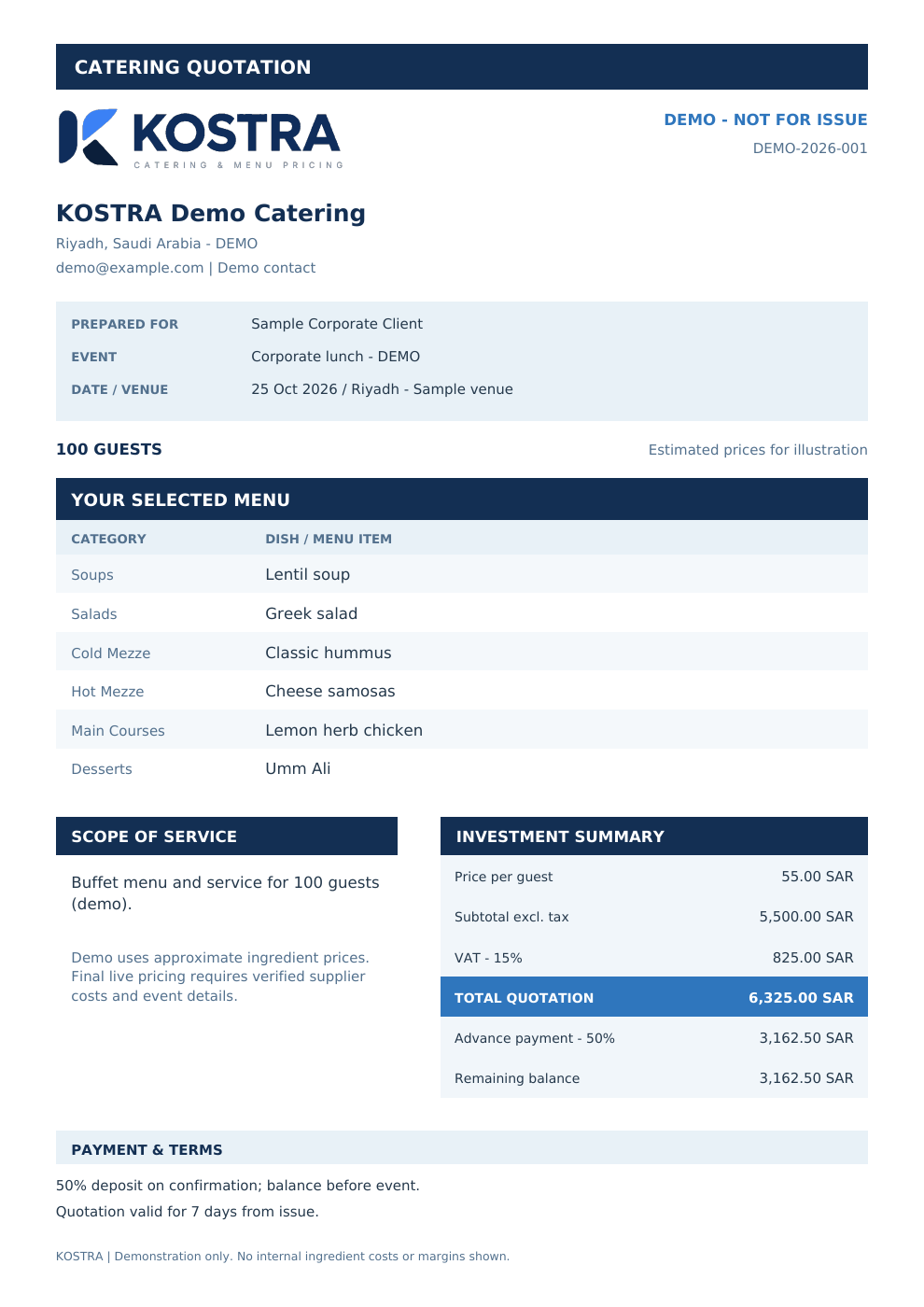
Actual screenshots of the global English workbook. Sample prices and quantities are editable; the quotation is a demo PDF.
150 example ingredient prices / 200 slots · 36 named dishes / 84 cards · 8 prepared sub-recipes / 30 slots · up to 24 items per client quote.
How to change currencies in Excel →TRY THE NEW CATERING WORKFLOW
This browser demo uses the six selected dishes and SAR example costs from the new workbook. Currency settings are changed inside Excel.
BEFORE YOU BUY
A short silent overview of the actual tables, event costing, demo quotation and currency settings.
Screens show the new English workbook and the separate demo quotation PDF. Prices are examples.
Global English Excel workbook, event pricing, client quote, currency guide and short walkthrough.
Dedicated restaurant menu costing & menu pricing tools, currently in development.
GLOBAL ENGLISH EDITION
Editable Excel workbook, English currency guide, demo quotation and short video. The sample starts in SAR; use your local cost currency and quote currency in Excel.
Single-user license: one purchase licenses one named person. Colleagues need their own license. You can share completed client quote PDFs.
Normally $29 · launch offer through 15 Nov 2026 (Riyadh time).
Get the Global English KitOne-time purchase · checkout in USD · any applicable checkout tax is shown by the store.
License & purchase termsNo. Every buyer receives the same global English workbook and guide. Change cost currency, quote currency and the exchange rate inside Excel.
In Selected Menu, set G11 to your cost currency and enter purchase prices and event extras in that currency. Set C15 to your quote currency. C24 is the number of cost-currency units per one quote-currency unit; use 1 if they match. Currency labels do not convert existing prices. See the currency guide.
The editable workbook and license key are for one named individual, including that person's commercial catering work. Team members need separate purchases. Completed client quotation PDFs may be shared. Each new purchase receives a unique license key. An offline Excel file cannot technically prevent copying; download limits and licensing provide deterrence and accountability.
The website demo is responsive. The workbook is intended for a desktop spreadsheet application. Formula checks and LibreOffice Calc recalculation were tested. Microsoft Excel desktop, Google Sheets and mobile spreadsheet apps were not directly tested.
No. The 150 sample prices are approximate SAR planning values. Replace the relevant purchase prices with your supplier's prices, check edible yields and tax basis, then mark prices verified. The workbook does not fetch live exchange rates.
Export only Client Quote. The complete workbook includes internal costs and is licensed to you. The quotation is not a tax invoice.